CQRS Pattern & Clean Architecture Design In Dot Net 6.0 based Api Project with Test units in xUnit tool & Duende Identity Server with Two Factor Authentication & RabbitMQ
Command Query Responsibility Segregation (CQRS) is a design pattern that segregates read and write operations for a data store into separate data models. This approach allows each model to be optimized independently and can improve the performance, scalability, and security of an application.
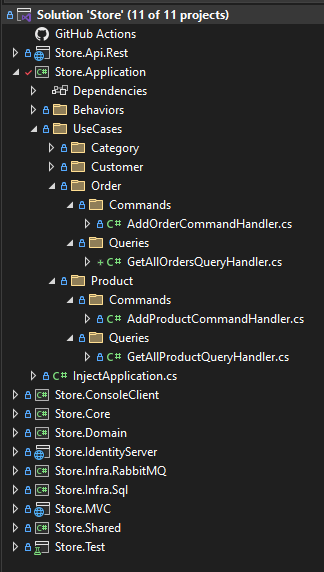
Clean Architecture is an architecture pattern aimed at building applications that we can maintain, scale, and test easily. It achieves this by separating the application into different layers that have distinct responsibilities:
Domain Layer – The domain layer represents the application’s core business rules and entities. This is the innermost layer and should not have any external dependencies.
Application Layer – The application layer sits just outside the domain layer and acts as an intermediary between the domain layer and other layers. In other words, it contains the use cases of the application and we expose the core business rules of the domain layer through the application layer. This layer depends just on the domain layer.
Infrastructure Layer – We implement all the external services like databases, Queues, file storage, emails, etc. in the infrastructure layer. It contains the implementations of the interfaces defined in the domain layer.
Presentation Layer – The presentation layer handles the user interactions and fetches data to the user interface.
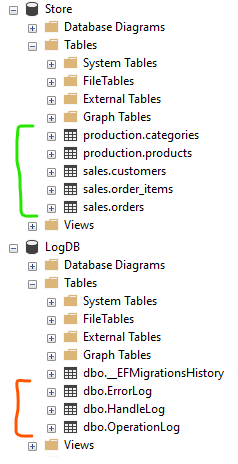
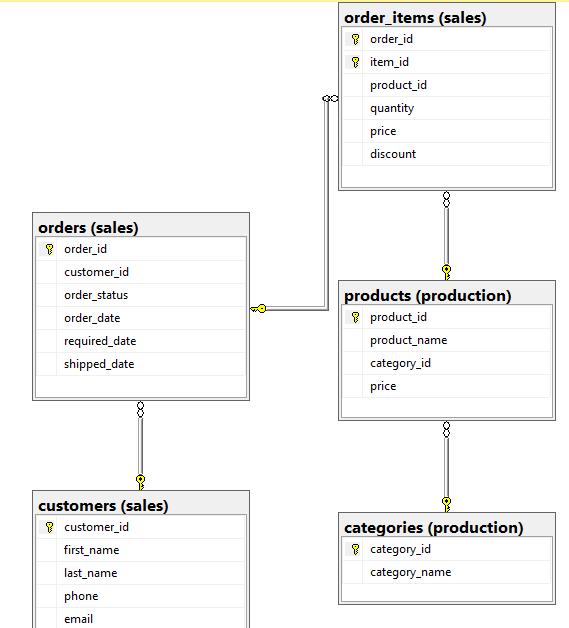
You can create the databases from scripts placed inside Store.Infra.Sql project :
StoreDatabaseScript.sql
LogDbDatabaseScript.sql
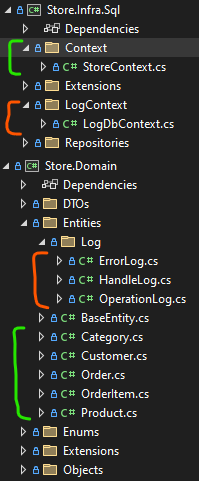
Run Line below inside Store.Infra.Sql project to generate the StoreContext :
Scaffold-DbContext "Data Source=.;Initial Catalog=Store;Integrated Security=True;TrustServerCertificate=True" Microsoft.EntityFrameworkCore.SqlServer -OutputDir Context -Force
For the LogDbContext :
Scaffold-DbContext "Data Source=.;Initial Catalog=LogDB;Integrated Security=True;TrustServerCertificate=True" Microsoft.EntityFrameworkCore.SqlServer -OutputDir LogContext -Force
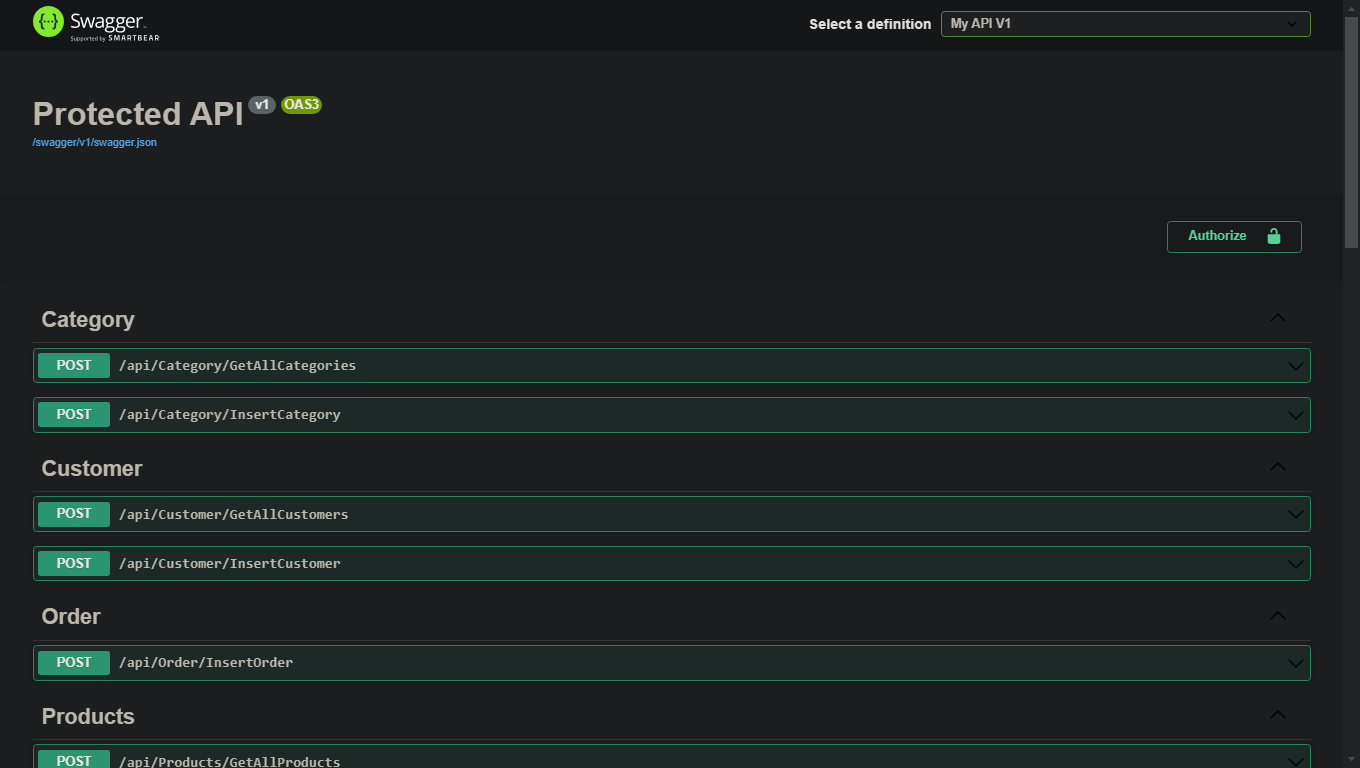
Simplify API development with open-source and professional tools, built to help you and your team efficiently design and document APIs at scale.
    public class AddOrderCommandDto
    {
        public int? CustomerId { get; set; }

        public byte OrderStatus { get; set; }

        public DateTime OrderDate { get; set; }

        public DateTime RequiredDate { get; set; }

        public DateTime? ShippedDate { get; set; }

        public List<Items> Items { get; set; } = new List<Items>();

    }

    public class Items
    {
        public int ProductId { get; set; }

        public int Quantity { get; set; }

        public decimal Price { get; set; }

        public decimal Discount { get; set; }

    }
    public record AddOrderCommand(AddOrderCommandDto AddDto) : IRequest<ResultDto<Unit>>
    {

    }
    public class OrderRepository : Repository<Order, int>, IOrderRepository
    {

        private readonly StoreContext _context;
        private readonly IRepository<Order, int> _repo;
        private readonly IMapper _mapper;

        public OrderRepository(StoreContext context,
            IRepository<Order, int> repo, IMapper mapper) : base(context)
        {
            _context = context;
            _repo = repo;
            _mapper = mapper;
        }

        public async Task<Order> CreateAsync(Order data)
        {
            _context.Add(data);
            _context.SaveChanges();

            return data;
        }

    }
    public class AddOrderCommandHandler : IRequestHandler<AddOrderCommand, ResultDto<Unit>>
    {
        private readonly IOrderRepository orderRepository;
        private readonly IMapper mapper;

        public AddOrderCommandHandler(IOrderRepository orderRepository, IMapper mapper)
        {
            this.orderRepository = orderRepository;
            this.mapper = mapper;
        }

        public async Task<ResultDto<Unit>> Handle(AddOrderCommand request, CancellationToken cancellationToken)
        {
            var dto = request.AddDto;

            List<Domain.OrderItem> orderItems = new List<Domain.OrderItem>();

            int i = 0;

            foreach (var item in dto.Items)
            {
                i++;

                orderItems.Add(new Domain.OrderItem
                {
                    Discount = item.Discount,
                    Price = item.Price,
                    ProductId = item.ProductId,
                    Quantity = item.Quantity,
                    ItemId = i
                });
            }

            Domain.Order order = new()
            {
                CustomerId = dto.CustomerId,
                OrderDate = dto.OrderDate,
                RequiredDate = dto.RequiredDate,
                ShippedDate = dto.ShippedDate,
                OrderStatus = dto.OrderStatus,
                OrderItems = orderItems
            };

            await orderRepository.CreateAsync(order);

            // Send order event success action message to RabbitMQ ...
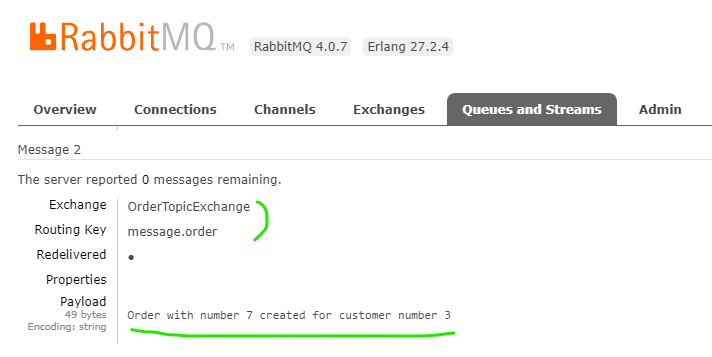
            Producer.Produce($"Order with number {order.OrderId} created for customer number {order.CustomerId}");

            return ResultDto<Unit>.ReturnData(Unit.Value, (int)EnumResponseStatus.OK, (int)EnumResultCode.Success, EnumResultCode.Success.GetDisplayName());
        }
    }
    public class BaseController : Controller
    {
        private IMediator mediator;

        protected IMediator Mediator => mediator ??= HttpContext.RequestServices.GetService<IMediator>();
    }
    [Route("api/[controller]")]
    [ApiController]
    public class OrderController : BaseController
    {
        [AllowAnonymous]
        [HttpPost("InsertOrder")]
        public async Task<ResultDto<Unit>> InsertOrder(AddOrderCommand command, CancellationToken cancellationToken) => await Mediator.Send(command, cancellationToken);

    }
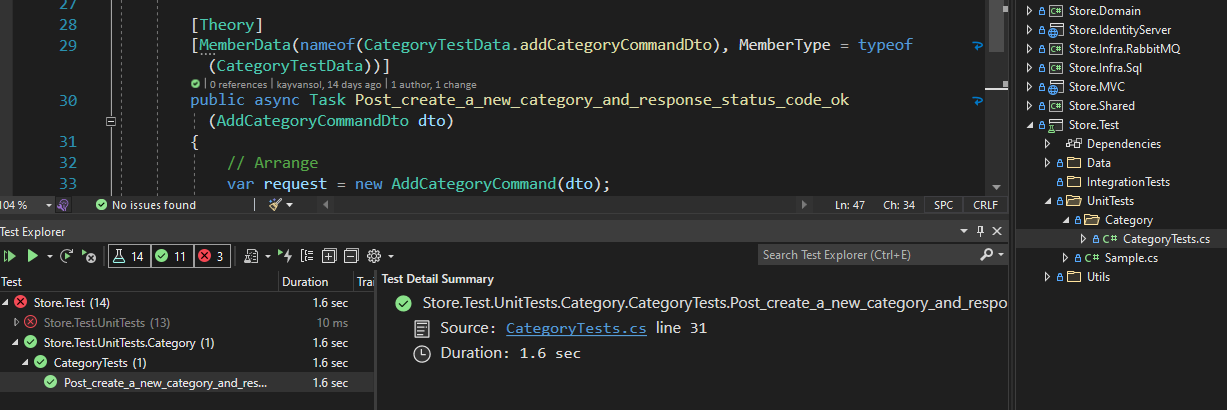
xUnit is a free, open source, community-focused unit testing tool for the .NET Framework.
    public class CategoryTestData
    {

        public static IEnumerable<object[]> addCategoryCommandDto()
        {
            List<AddCategoryCommandDto[]> data = new List<AddCategoryCommandDto[]>();

            AddCategoryCommandDto[] adds = new AddCategoryCommandDto[1];

            adds[0] = new AddCategoryCommandDto()
            {
                CategoryName = "Dell G9 Server"
            };

            data.Add(adds);

            return data;

        }

    }
    public class CategoryTests : IDisposable
    {

        private readonly ICategoryRepository _repository;
        private readonly AddCategoryCommandHandler _handler;
        private readonly Repository<Domain.Category, int> _repo;
        private readonly StoreContext _context;
        private readonly IMapper _mapper;

        public CategoryTests()
        {
            _mapper = GetServices.GetMapper();
            _context = GetServices.GetStoreContext();
            _repo = new Repository<Domain.Category, int>(_context);
            _repository = new CategoryRepository(_context, _repo, _mapper);
            _handler = new AddCategoryCommandHandler(_repository, _mapper);
        }


        [Theory]
        [MemberData(nameof(CategoryTestData.addCategoryCommandDto), MemberType = typeof(CategoryTestData))]
        public async Task Post_create_a_new_category_and_response_status_code_ok(AddCategoryCommandDto dto)
        {
            // Arrange
            var request = new AddCategoryCommand(dto);
            var token = new CancellationToken(false);

            // Act
            var result = await _handler.Handle(request, token);

            // Assert
            result.StatusCode.Should().Be((int)HttpStatusCode.OK);

            result.Data.Should().NotBeNull();

        }

        public void Dispose()
        {
            _repo.Dispose();
            _context.Dispose();
        }

    }
The most flexible and standards-compliant OpenID Connect and OAuth 2.0 framework for ASP.NET Core.
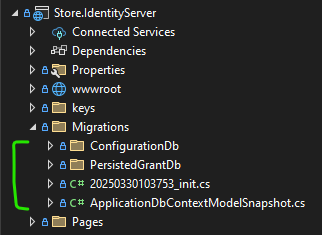
Migrations to use SQL Server for User Registeration and Login process :
add-Migration init -Context ApplicationDbContext

Update-Database -Context ApplicationDbContext


add-Migration init -Context ConfigurationDbContext

Update-Database -Context ConfigurationDbContext


add-Migration init -Context PersistedGrantDbContext

Update-Database -Context PersistedGrantDbContext
Running line below inside ConfigurePipeline at HostingExtensions.cs to insert some initial data in the identity database :
InitializeDbTestData(app);
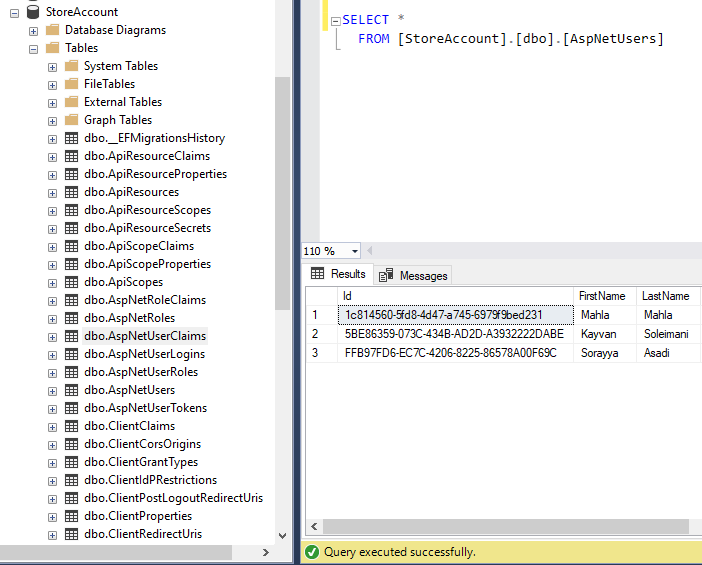
Identity DataBase :
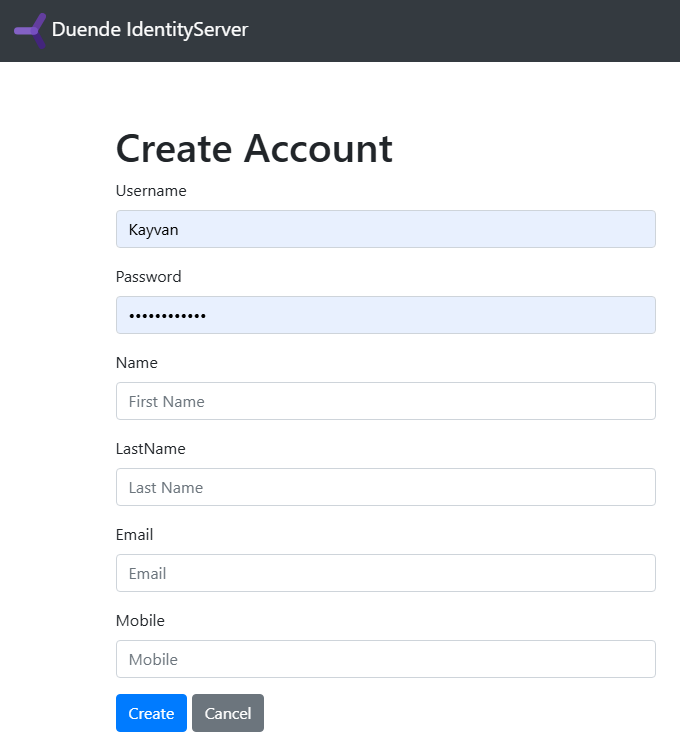
Register a new User :
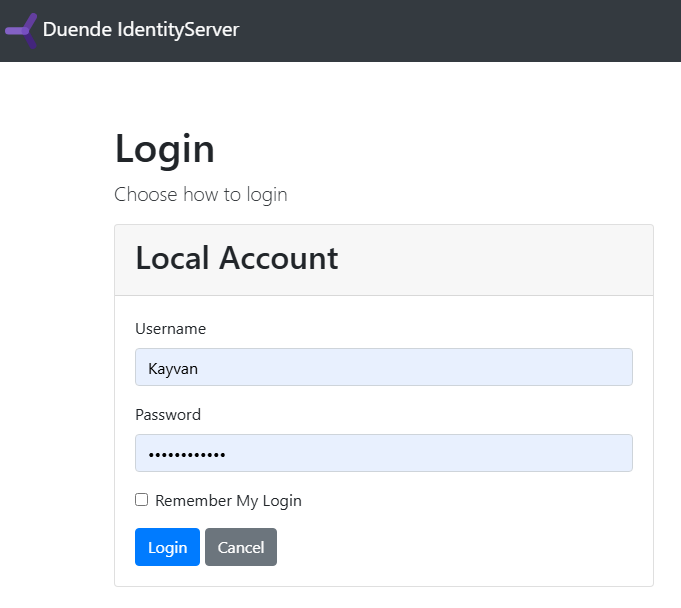
Login :
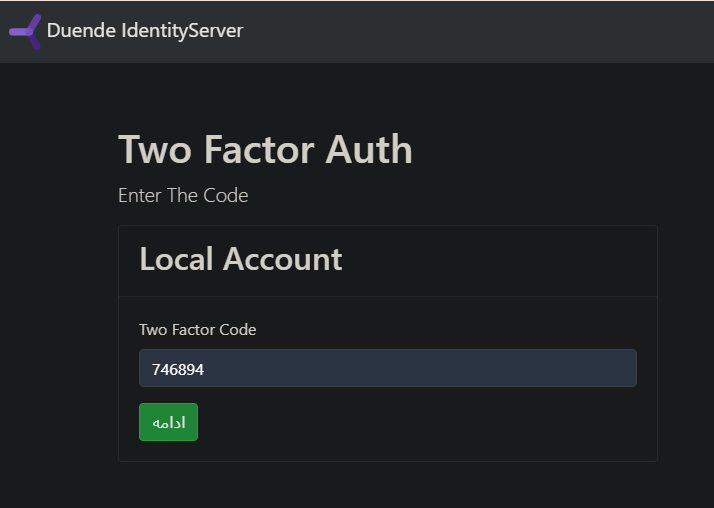
Two Factor Authentication :
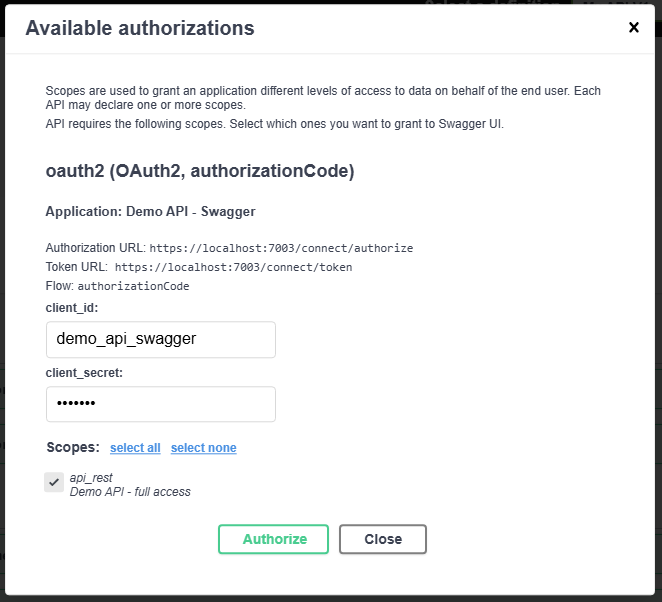
Swagger Authentication :
Duende Identity Server Admin Page :
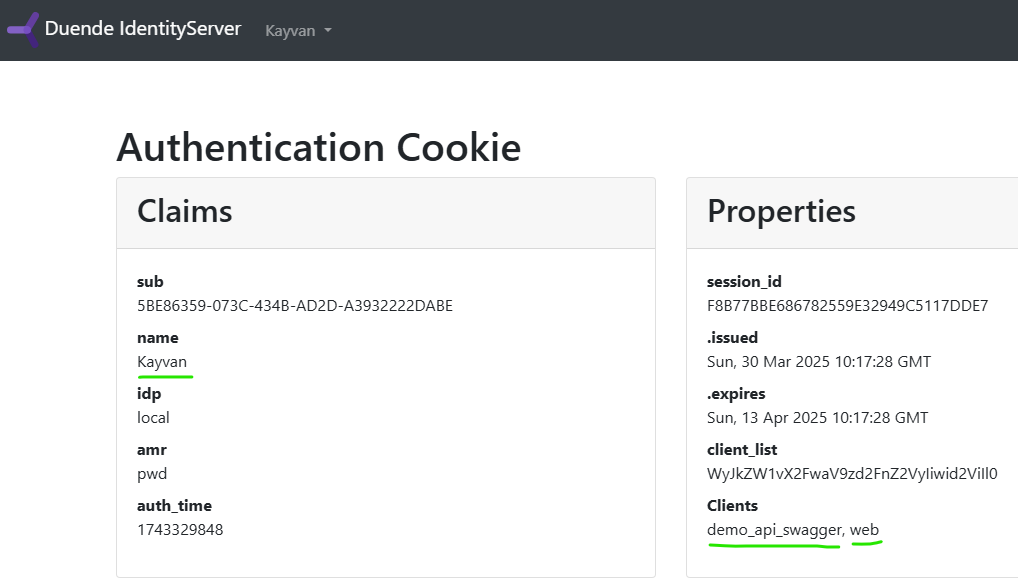
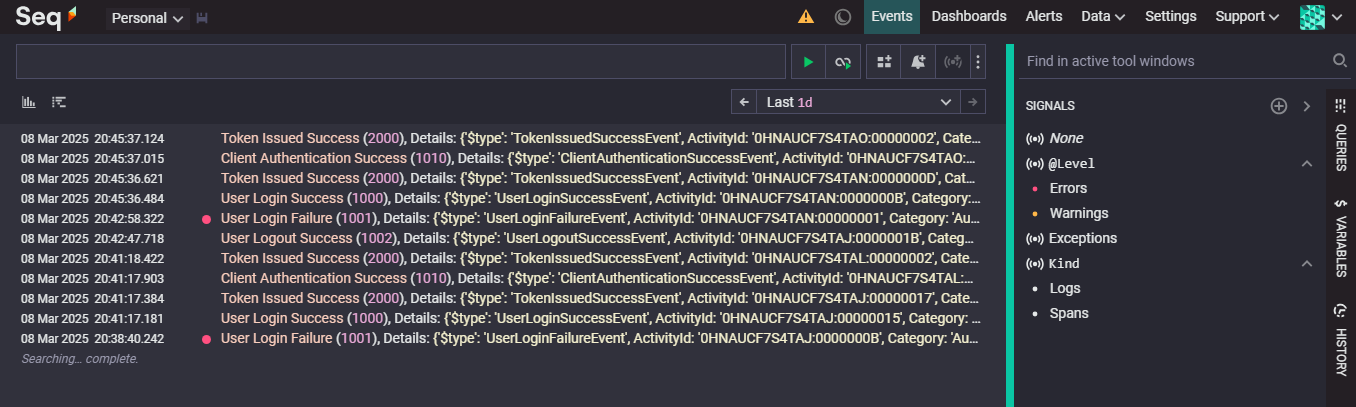
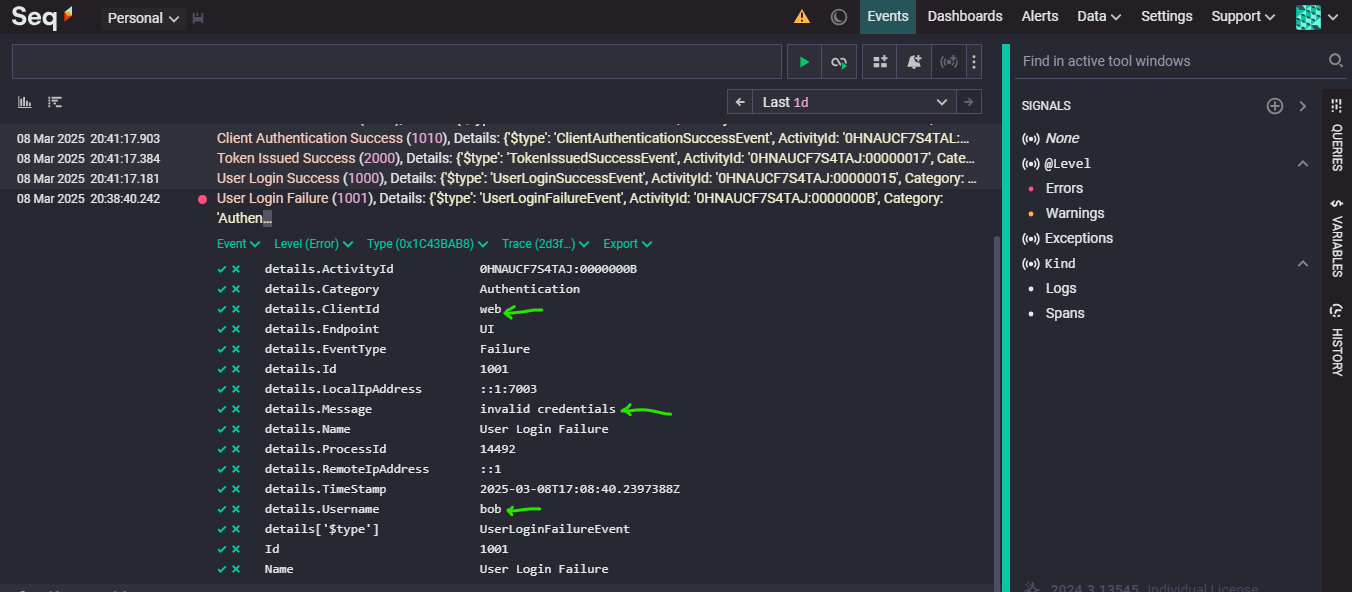
Identity Logging :
Seq is the self-hosted search, analysis, and alerting server built for structured log data.
Sink Duende Identity Server Event Logs to the avaiable Seq Server on Docker :
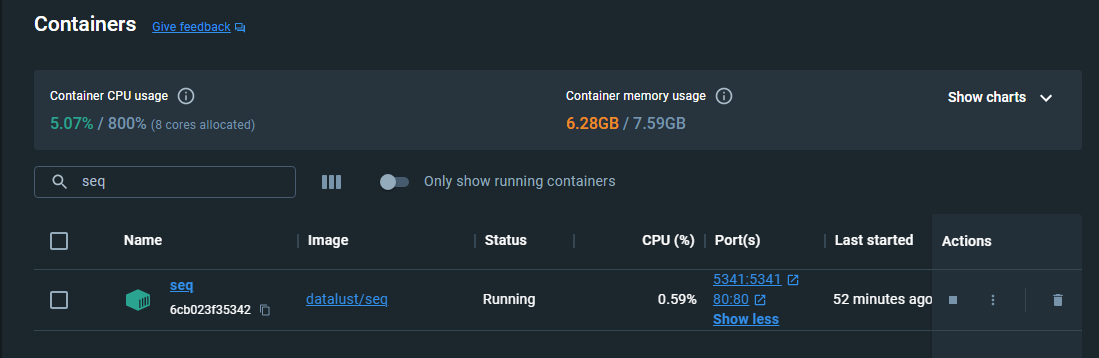
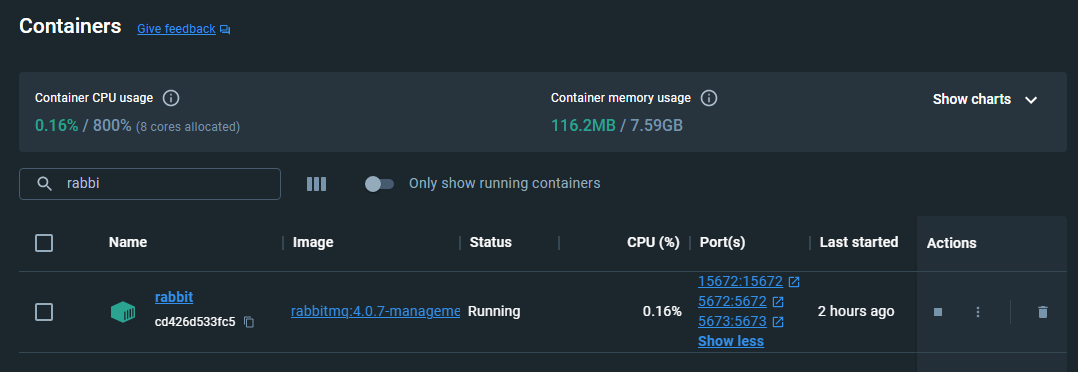
RabbitMQ with Docker :
docker pull rabbitmq:4.0.7-management

docker run -d --hostname myrabbit --name rabbit -p 5672:5672 -p 5673:5673 -p 15672:15672 rabbitmq:4.0.7-management
Order Message has been sent to RabbitMQ :
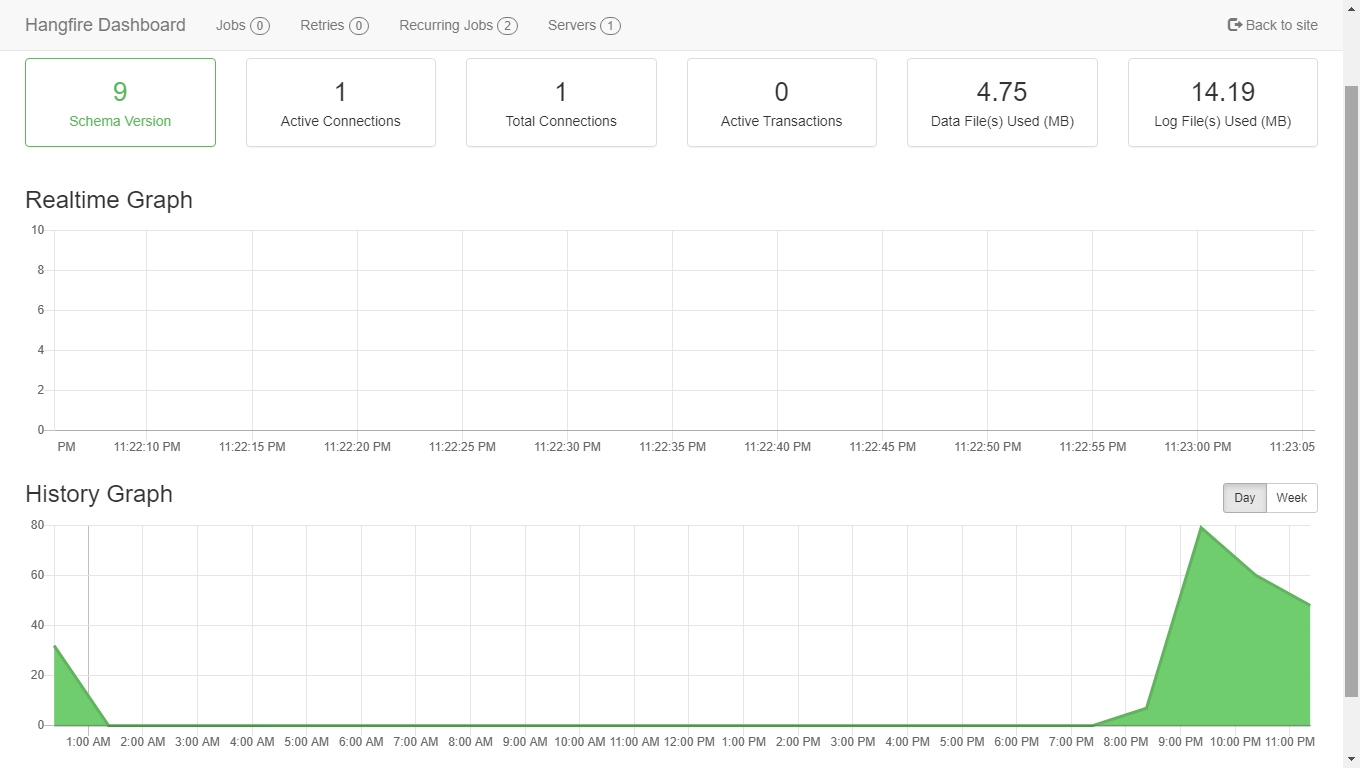
An easy way to perform background processing in .NET and .NET Core applications. No Windows Service or separate process required.
First for enabling the ssl (https), generate the certificate files by this command :
dotnet dev-certs https --trust -ep ./Store.Api.Rest/aspnetapp.pfx -p 123

dotnet dev-certs https --trust -ep ./Store.MVC/aspnetmvc.pfx -p 123
and Write some settings in appsettings.json for Kestrel in each services mentioned in the docker compose file :
"Kestrel": {
  "EndPoints": {
    "Https": {
      "Url": "https://+:443",
      "Certificates": {
        "Path": "aspnetapp.pfx",
        "Password": "123"
      }
    },
    "Http": {
      "Url": "http://+:80"
    }
  }
}
then create docker compose file :
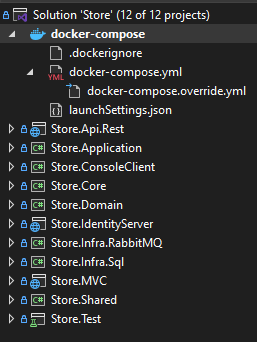
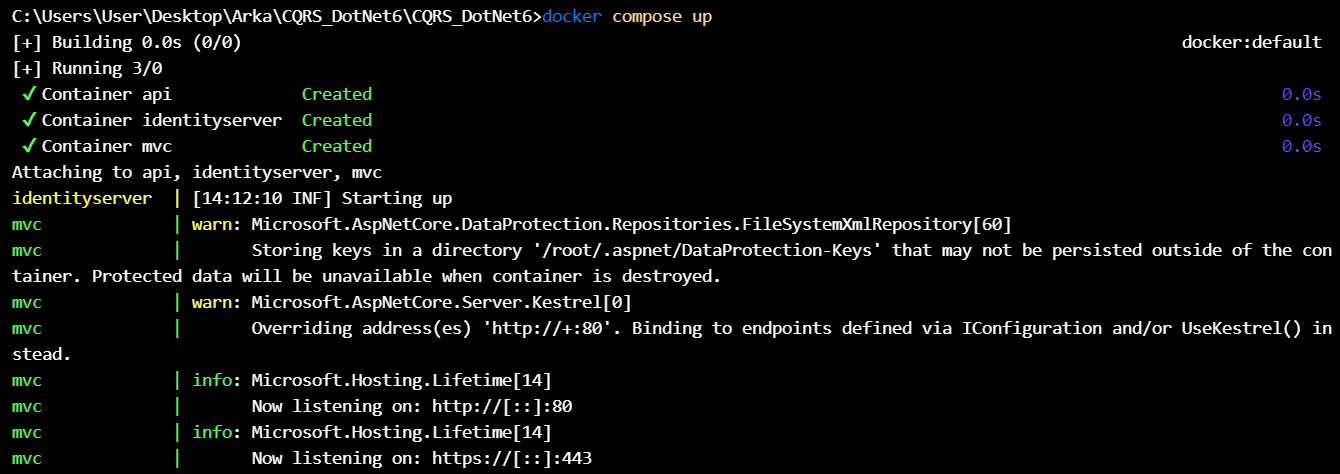
and at cmd shell execute the bellow command to run the stack :
docker compose up
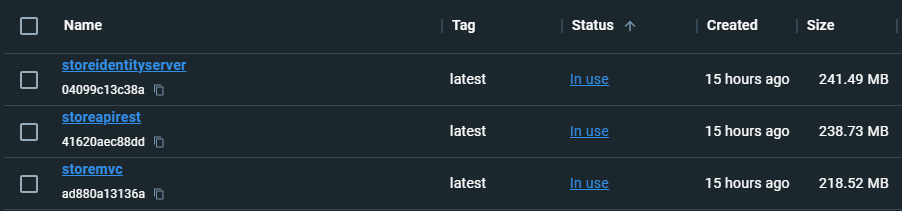
at the docker desktop , check the images and containers :
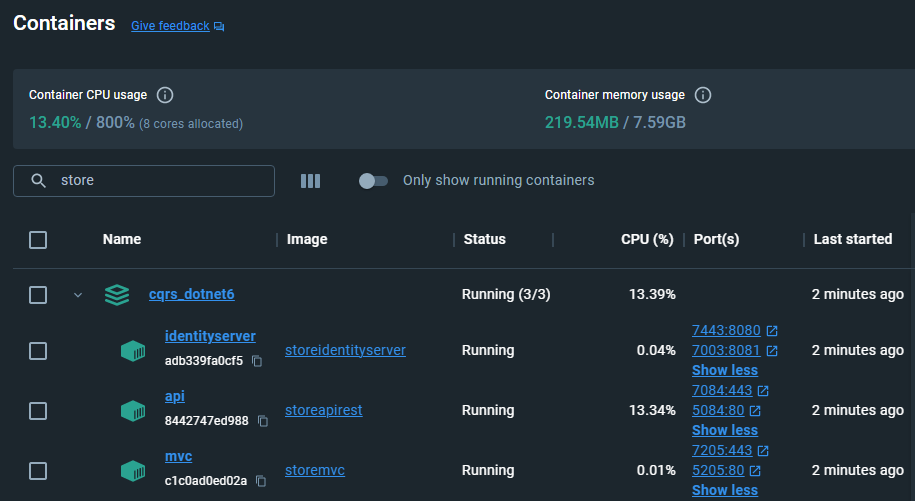
and now it's time to enjoy the stack.