 DBeaver
DBeaver prompts for driver download even if the driver is already present (but only first time) #27


-
|
Prerequisite
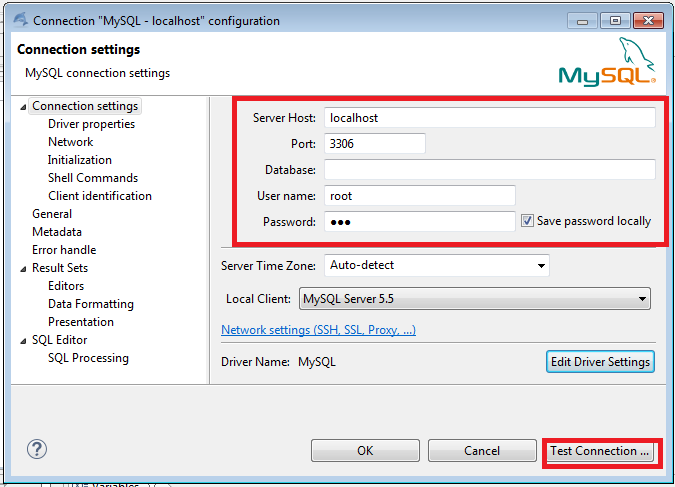
Suppose you have a working connection on a MySQL DB. If you dismiss this dialog, close the New Connection dialog and open it again, no driver download dialog is shown. This error happens also if you right-click an existing connection and select the Modify connection option from the menu. Additionally, if you accept and download (but the download really happens? It doesn't seem so...) and save the connection modifications, next time DBeaver is started if you modify the connection again the driver download dialog is prompted again. You can find a screenhot of the dialog attached to this issue.
|

Beta Was this translation helpful? Give feedback.
Replies: 12 comments

-
|
This happens in 3.5.2 if you've upgraded from 3.5.1. Maven references had changed in some drivers and now there are two different artifacts (good one and bad one). Actually it is a bug (I had to make some migration procedure but this issue didn't appear in my dev environment). Anyhow, here is a workaround:
|
Beta Was this translation helpful? Give feedback.
-
|
Thank you for the workaround, Serge! I confirm that doing so the problem disappears :-) |
Beta Was this translation helpful? Give feedback.

-
|
Doesn't work for me. (LINUX) |
Beta Was this translation helpful? Give feedback.
-
|
Is this issue still remains in 3.5.4? |
Beta Was this translation helpful? Give feedback.

-
|
Hi, |
Beta Was this translation helpful? Give feedback.
-
|
Please clarify - what exactly isn't working? |
Beta Was this translation helpful? Give feedback.
-
|
I followed below steps:-
|
Beta Was this translation helpful? Give feedback.
-
|
This is very old issue and I can't reproduce it. |
Beta Was this translation helpful? Give feedback.
-
|
Hi, |
Beta Was this translation helpful? Give feedback.

-
|
To install the mysql driver manually we go to https://mvnrepository.com/artifact/mysql/mysql-connector-java and choose the version we want in my case I will take version 5.1.47 this is the direct link to download http://central.maven.org/maven2/mysql/mysql-connector-java/5.1.47/mysql-connector-java-5.1.47.jar I also leave the following image so that you can see where you can download it .
Then we save the driver in directory easy to find. We do not go DBeaver and we realize how it feels
I hope it is of your help. |



Beta Was this translation helpful? Give feedback.

-
Thank you so much! this post helped me ! |
Beta Was this translation helpful? Give feedback.
-
|
@asm-web You don't need to do this. You can choose any driver version you need right in dbeaver interface. |
Beta Was this translation helpful? Give feedback.


@asm-web You don't need to do this. You can choose any driver version you need right in dbeaver interface.
Go to Download/Update screen, then click on driver version column and choose version you need.