How to reference "New Column" defined column to define new column? #2150

Replies: 7 comments

-
|
We used to allow this but removed it because it introduced a lot of UX complexity.
Details about your use case would help a lot. |
Beta Was this translation helpful? Give feedback.

-
|
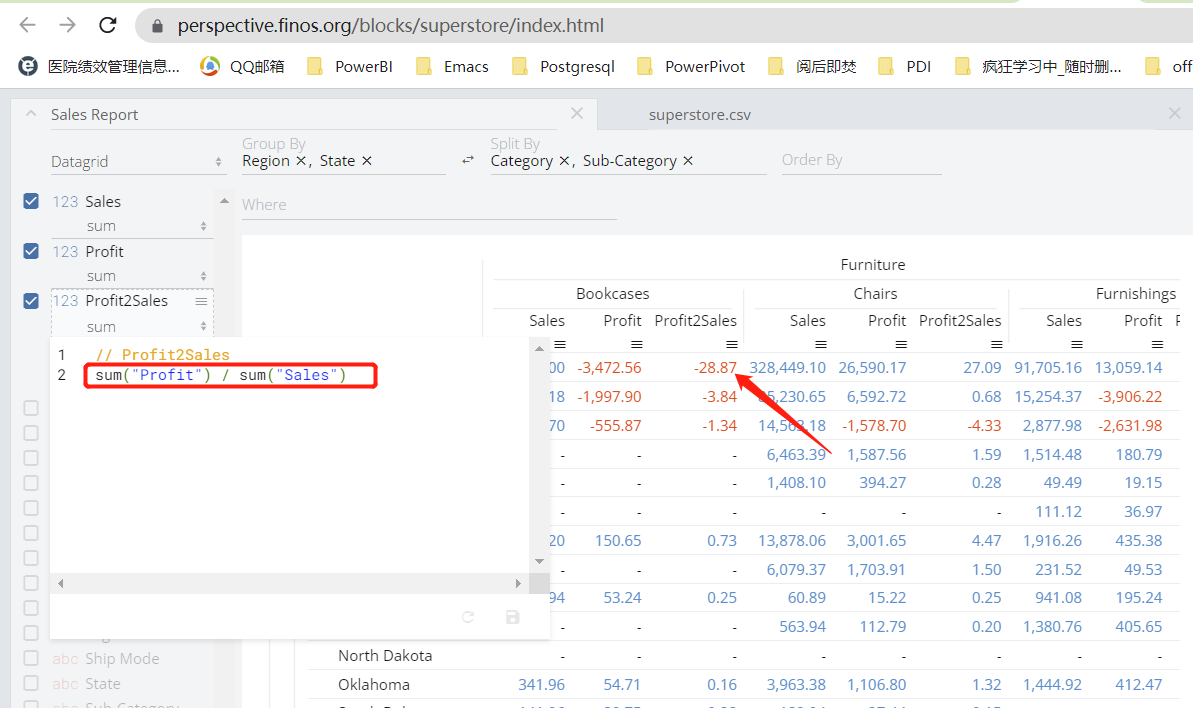
If I want to display a metric as [sum(profit) / sum(Sales)], how to accomplish this in perspective? |
Beta Was this translation helpful? Give feedback.

-
|
you need to provide more details. given columns |
Beta Was this translation helpful? Give feedback.
-
|
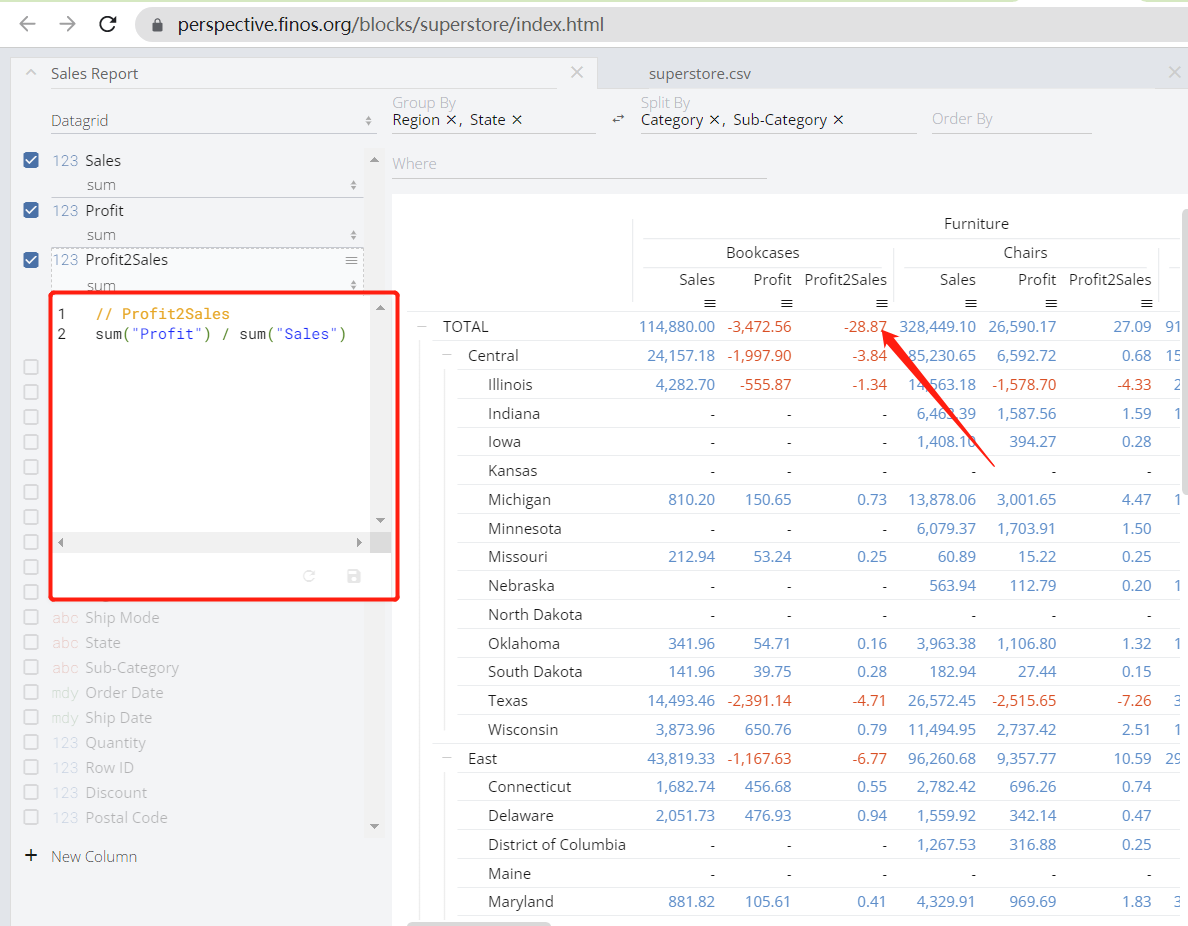
As you mentioned, I would do sum("profit") / sum("Sales"), but the value is wrong. |
Beta Was this translation helpful? Give feedback.
-
|
This picture looks more clear. |
Beta Was this translation helpful? Give feedback.
-
|
If we rename the aggregate |
Beta Was this translation helpful? Give feedback.
-
|
Can we add a new calculation layer? That based on the group by or rollup dataset. That will be simple, the new column can reference this dataset column as before. The successful method should do once more. |
Beta Was this translation helpful? Give feedback.


Uh oh!
There was an error while loading. Please reload this page.
-
Feature Request
Description of Problem:
I can define a new column such as sum("Sales") named SalesSum and use in group by datagrid. I want to define a new column reference the defined column SalesSum, the error is "Value error - input column "SalesSum" does not exists".
Potential Solutions:
I think the problem is the "New column" function can only reference the table source column and can not reference "New column" defined virtual column .
If we can reference virtual column defined by "New column", the perspective tool will open a big windows for data analysis.
Beta Was this translation helpful? Give feedback.
All reactions